- READ
- BUILD
- MEASURE
Schematics into working circuits
Describe a circuit or drop a photo of one. RakitRobot builds it in Tinkercad, runs the simulation, and measures whether it matches the theory.
Press Enter to build · drop or paste an image on the bar
READ BUILD MEASURE 0%
What it builds
From your first LED to an Arduino driving an LCD. Parts go on a breadboard, the code goes on the board, and every circuit is tested until it's proven.
Click any idea to put it in the build bar. Hover to pause.Tap any idea to put it in the build bar.
How it works
You do the first step. The other three run on their own.
- 01
Describe or snap it
A schematic from a textbook or worksheet, or a single sentence.
- 02
Built on a breadboard
Parts placed, wires routed, Arduino code uploaded.
- 03
Simulated and measured
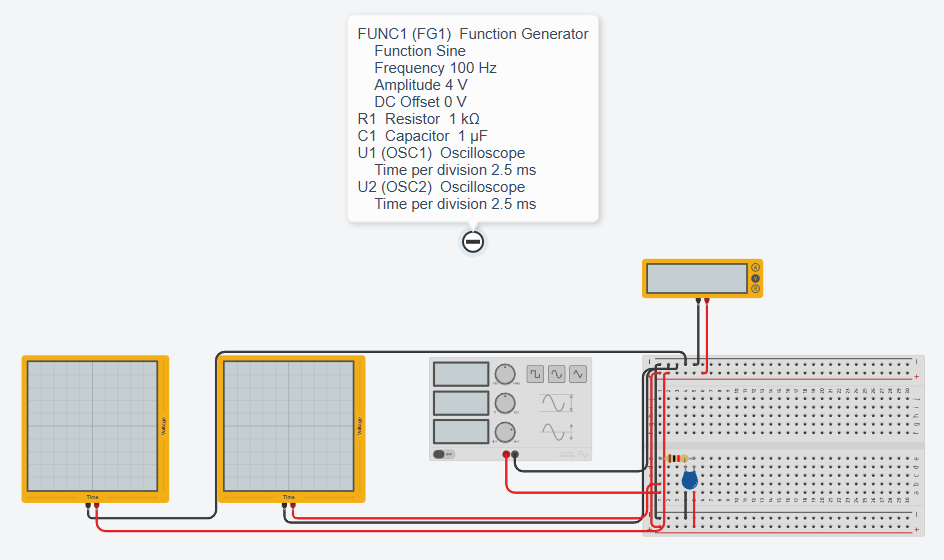
Multimeters and oscilloscopes are read while the simulation runs.
- 04
Checked against theory
If the numbers disagree, the circuit is fixed before you get it.
Not just built. Proven.
Every result shows the simulated readings next to the calculation, so you know the circuit really works.
- Voltage, current and scope traces compared with theory
- Parts that burn out in the simulation are caught and fixed
- Arduino code is exercised: buttons pressed, LEDs and LCDs checked
- Proven
- readings match theory
- Built
- done, nothing to measure
- Not proven
- readings still differ
- Damaged
- a part burned out
Still unsure?
Do I need a Tinkercad account?
No. Your circuit is built for you in the RakitRobot workspace, and you get a link to it. To keep a copy, open the link and copy the circuit into your own Tinkercad account from that page; Tinkercad asks you to sign in or sign up then.
What kind of photos can it read?
Photos or screenshots of a schematic, including clear hand drawings. If a value is hard to read, add it in the text, such as “R3 is 10k”.
What if the result isn't right?
Press “Change the request” and say what's missing, such as “the LED doesn't light up”. The circuit is rebuilt in the same place.
Is RakitRobot an Autodesk or Tinkercad product?
No. RakitRobot is an independent service that works with Tinkercad, where each circuit is built and simulated. Tinkercad is a trademark of Autodesk, Inc.
What do you keep?
A log of what you ask for and how the build went, so we can run the service and make it better. A photo you attach is sent to the AI model that reads it, and we do not store it.